Sermons · 1 min read
Add a sermon
Post the sermon to YouTube or Vimeo as usual, then paste the link here. If your channel is connected you can skip this: sermons come in on their own.
Add a sermonSigns you in to your website’s dashboard and opens this screen.
- On the left, click Sermons, then Add a sermon.
- Paste the video link into YouTube or Vimeo link. The title and picture fill in by themselves.
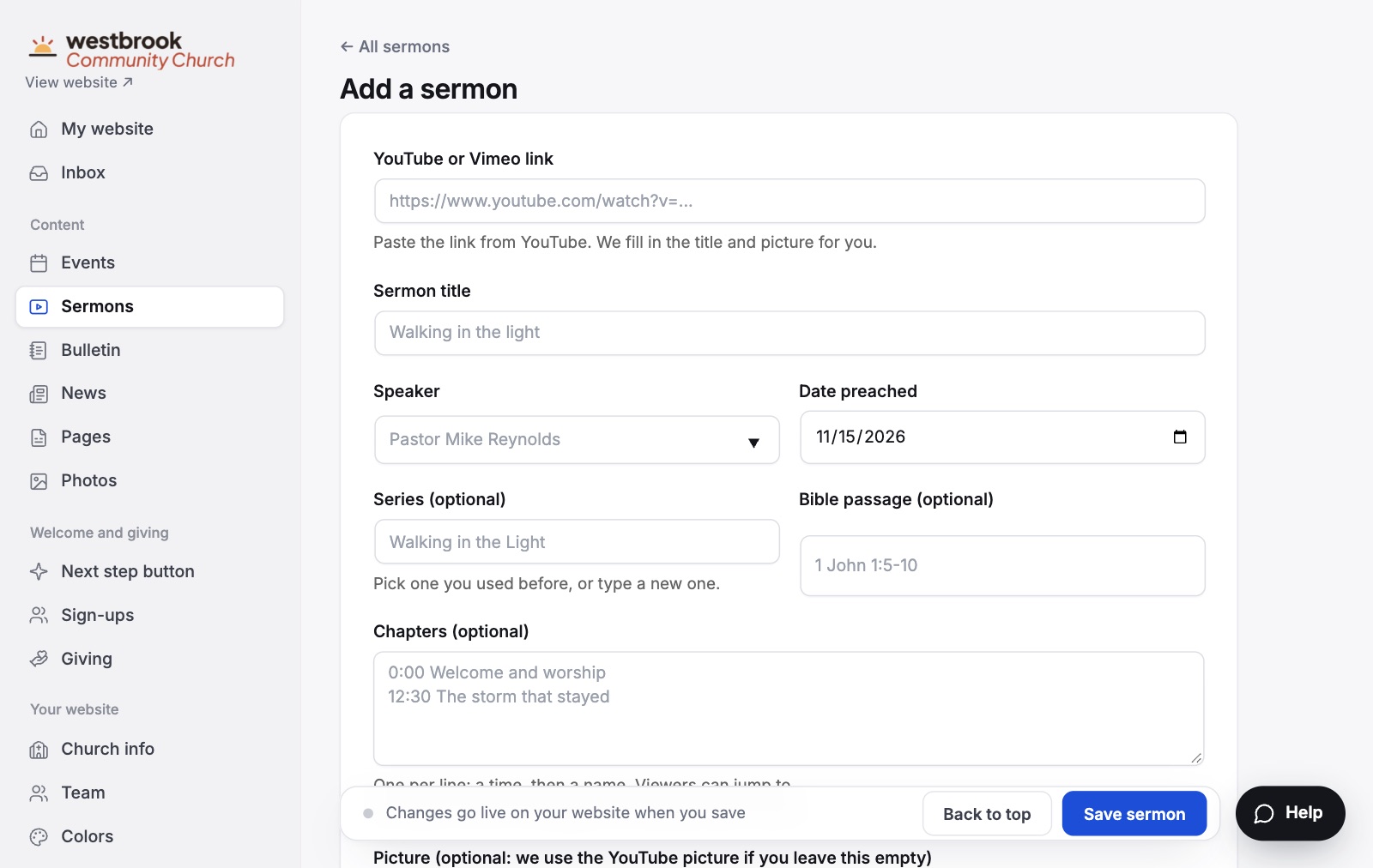
- Check the Sermon title and fill in the Speaker. Add a Series and Bible passage if you use them. Speaker and series remember what you typed before.
- Change the Date preached if it was not last Sunday.
- Click Save sermon. It becomes the latest message on the home page and the Sermons page.
Good to know
- Facebook videos are not supported on purpose: Facebook deletes live videos after 30 days, which would leave holes in your library.
- Want a different picture than the one from the video? Choose it under Picture.
Still stuck?
Ask in the chat and get an answer right away. If it needs a person, the team takes it from there.
Chat with usor email hello@sundayfront.com