Sermons · 2 min read
Bring in sermons from YouTube or Vimeo automatically
Connect your YouTube channel or Vimeo page once. Every hour the website checks for new videos and adds them to your sermon library, with the title, speaker and passage pulled from the video title when it can.
Open the YouTube tabSigns you in to your website’s dashboard and opens this screen.
- Open your church YouTube channel and copy the link from the address bar (it looks like youtube.com/@yourchurch). On Vimeo, copy your church page link instead (vimeo.com/yourchurch).
- On your website, click Sermons on the left, then the YouTube tab, and paste it into Your YouTube or Vimeo link.
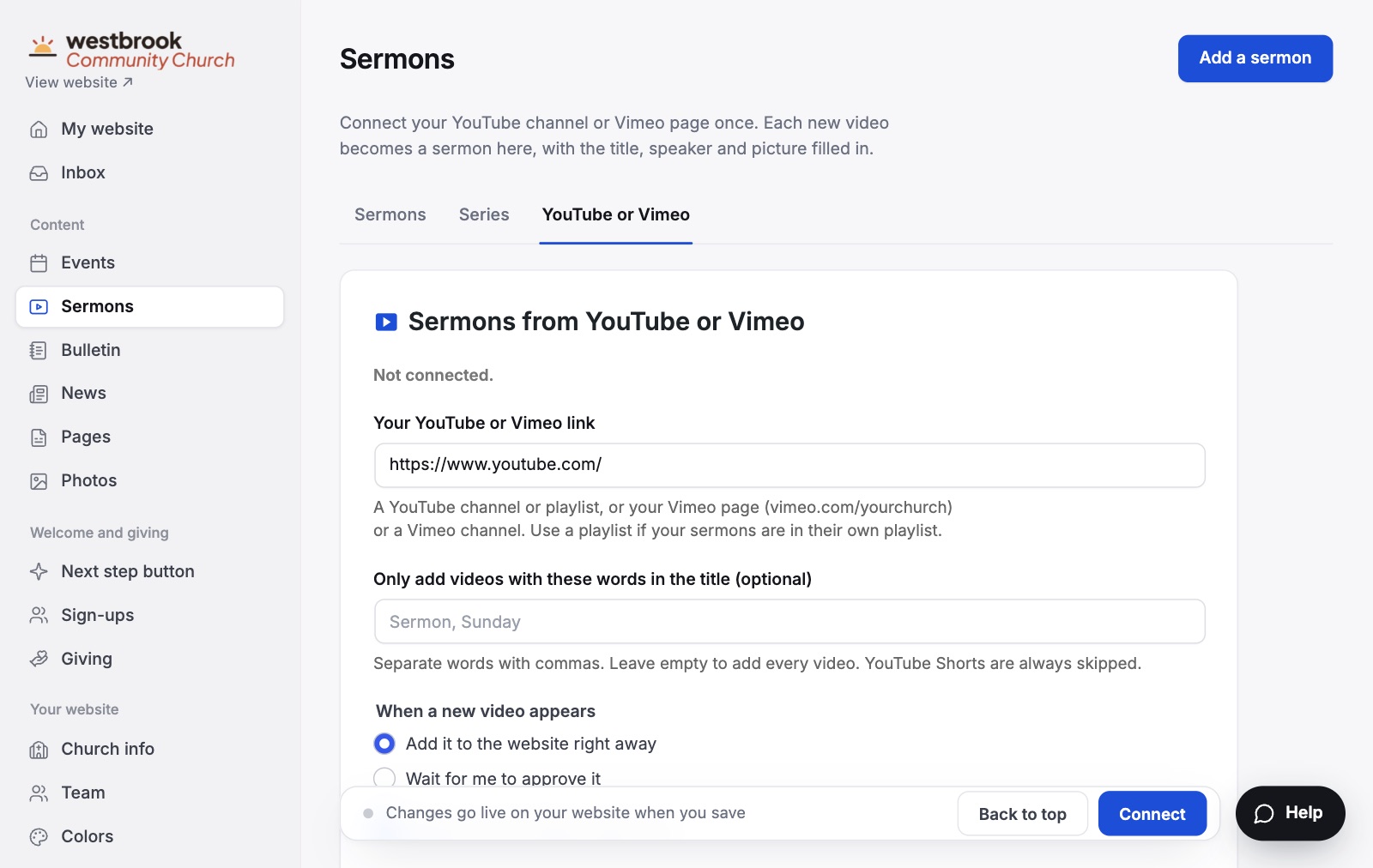
- If you post more than sermons, type a word that is in every sermon title (like "Sermon") in Only add videos with these words.
- Choose Add it to the website right away, or Wait for me to approve it if you want to check each one first.
- Click Connect. Videos from the last few months come in now; new ones arrive every hour.
- If you chose to approve them, new videos wait at the top of the Sermons screen. Click Publish on each one.
Good to know
- Shorts are always skipped.
- Title your videos like "Hope Wins | Pastor Mike Reynolds | Romans 8" and the speaker and passage fill in by themselves.
- Use a playlist link instead if your sermons are in their own playlist. That also keeps out other videos.
Related
Still stuck?
Ask in the chat and get an answer right away. If it needs a person, the team takes it from there.
Chat with usor email hello@sundayfront.com