Look and feel · 3 min read
Change your design
You can switch to a different design any time. We make a private preview with your info, logo and photos, touch up any pages you edited, and switch your live website only after you approve.
Open Change designSigns you in to your website’s dashboard and opens this screen.
- On the left, click Colors, then Change design.
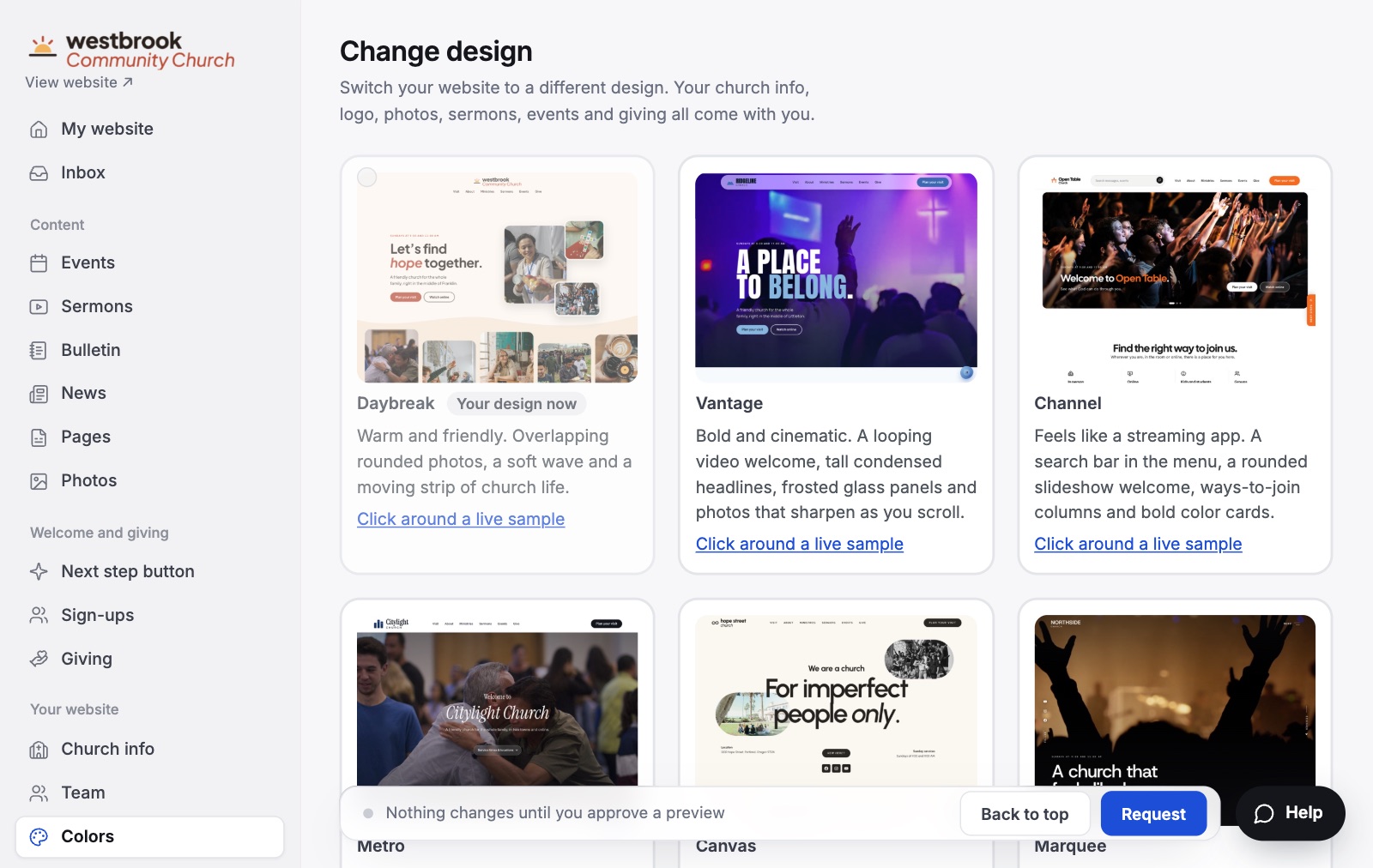
- Click around the live samples, then pick the design you want.
- Add a note if there is anything we should keep in mind, and click Request this design.
- We email you when your private preview is ready. Open it on a computer and a phone.
- Click Looks good. Switch my website, or tell us what to change. Your live website stays as it is until you approve.
Related
Still stuck?
Ask in the chat and get an answer right away. If it needs a person, the team takes it from there.
Chat with usor email hello@sundayfront.com