Look and feel · 2 min read
Change your colors
Every design comes with palettes made for it, each checked so text stays easy to read. You can also use your own brand colors.
Open ColorsSigns you in to your website’s dashboard and opens this screen.
- On the left, click Colors.
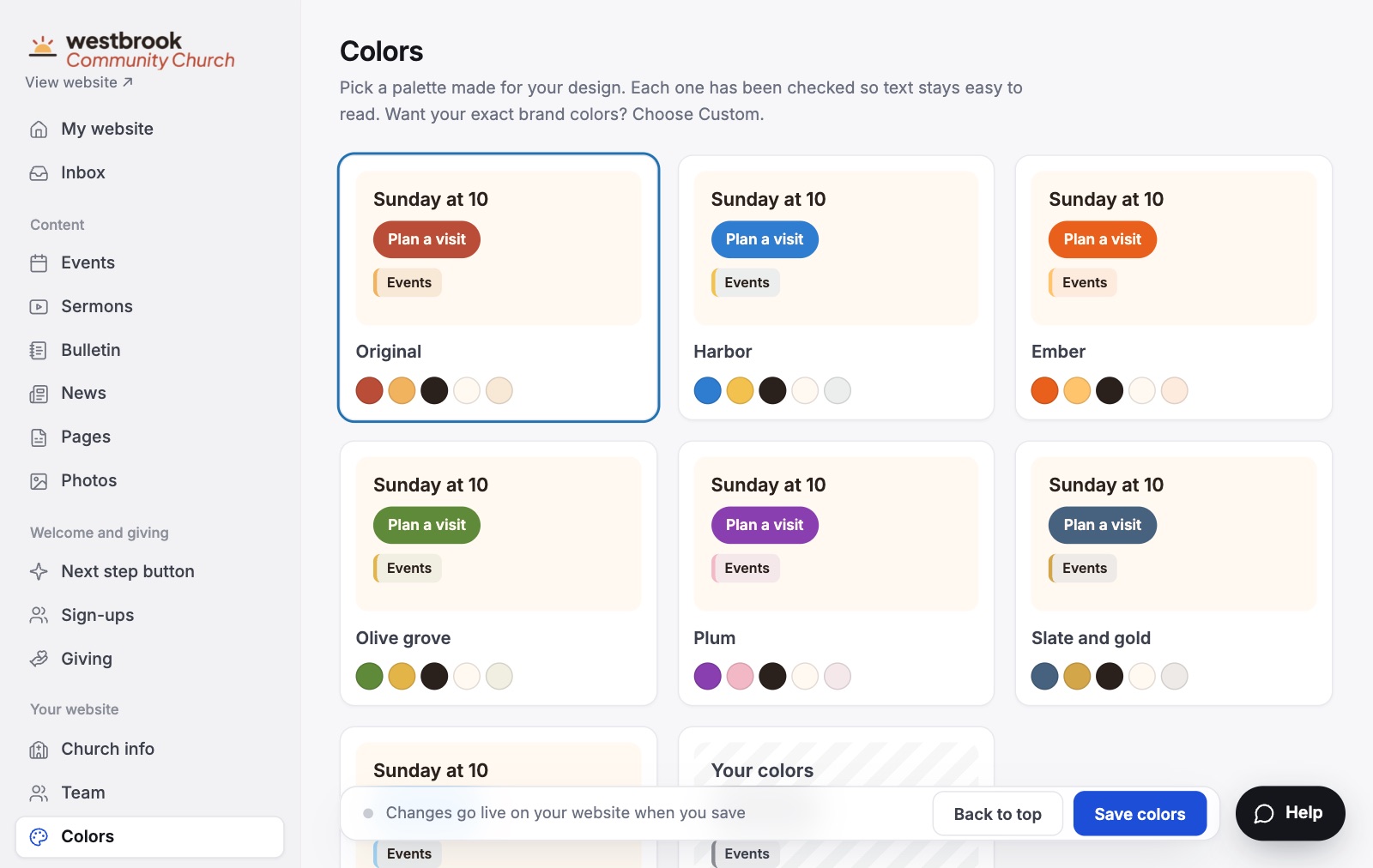
- Click a palette to try it. The preview shows a button and text in those colors.
- To use your own, choose Your colors and pick a main color (buttons and links) and a partner color (small touches).
- If a color would make text hard to read, the screen says so and suggests a fix you can accept with one click.
- Click Save colors.
Good to know
- Have a brand guide? The six-character color code (like #1E3A8A) goes in the color picker.
Related
Still stuck?
Ask in the chat and get an answer right away. If it needs a person, the team takes it from there.
Chat with usor email hello@sundayfront.com