Pages and photos · 3 min read
Edit the home page or any page
Pages open in an editor that looks like your real website. Click what you want to change and type.
- On My website, click Edit my home page. For other pages, click Pages on the left, then the page name.
- To change words, click them and type. Press Enter for a new line.
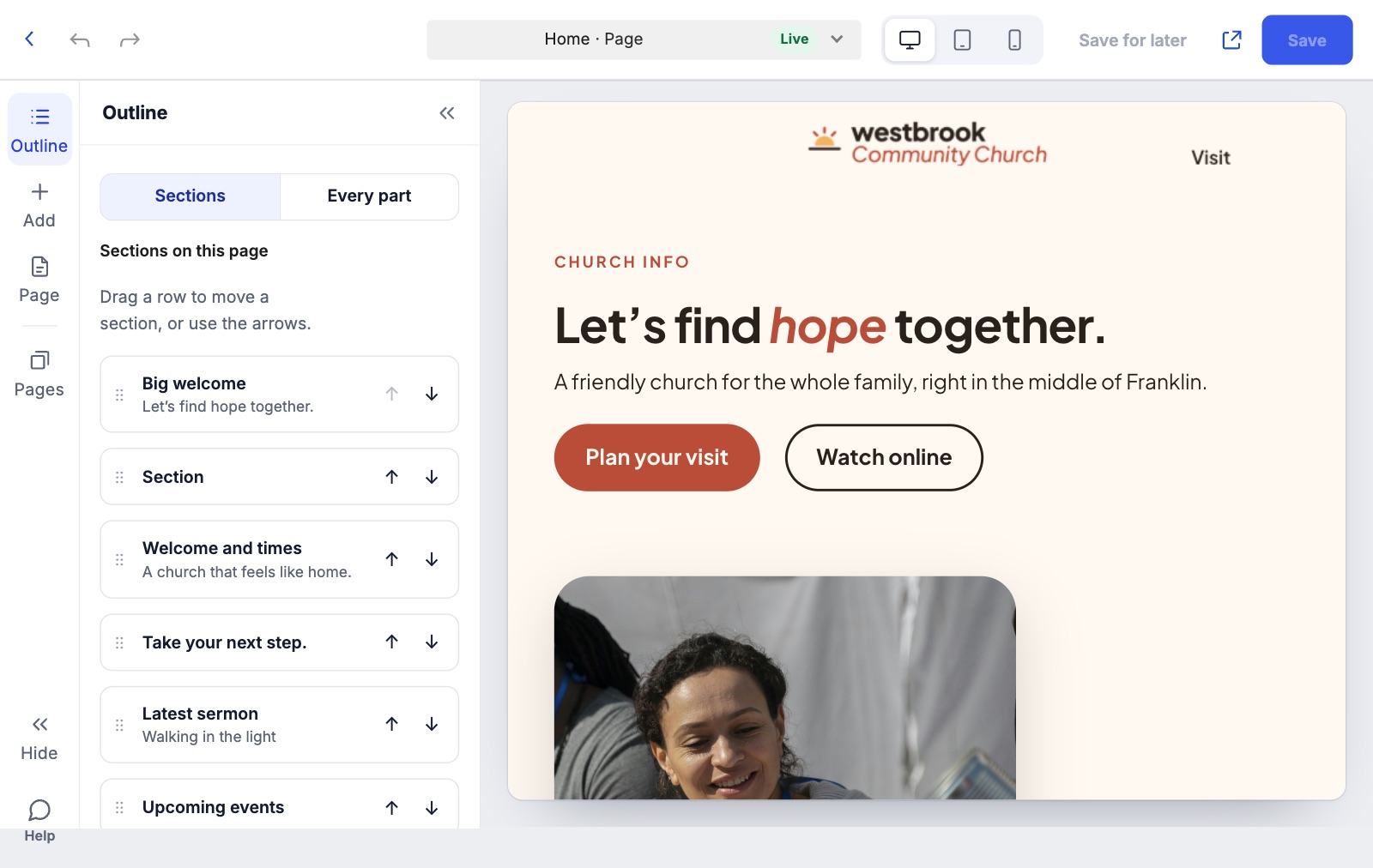
- To change a picture, click it once, then click Replace in the small toolbar that appears. Choose a photo you already uploaded, or upload a new one.
- To change a button, click its words to retype them. Click the link icon in the toolbar to change where it goes.
- Click Save at the top right. Your changes are live right away.
Good to know
- Changed something by mistake? Press Ctrl+Z (Cmd+Z on a Mac) to undo, as many times as you need.
- Events, sermons and sign-up forms on a page fill in by themselves. Change them on the Events or Sermons screens, not in the page.
Still stuck?
Ask in the chat and get an answer right away. If it needs a person, the team takes it from there.
Chat with usor email hello@sundayfront.com