Calendar and sign-ups · 3 min read
Connect your Google Calendar
If your events already live in Google Calendar, connect it once. New, changed and deleted events update on the website every hour. Calendars from Planning Center, Outlook and iCloud work the same way.
Open the Calendar tabSigns you in to your website’s dashboard and opens this screen.
- On a computer, open Google Calendar and click the gear, then Settings.
- On the left, click the calendar you use for church events, then Integrate calendar.
- Copy the Secret address in iCal format. It works even if your calendar is private.
- Back on your website, click Events on the left, then the Calendar tab. Paste it into Calendar link and click Connect calendar.
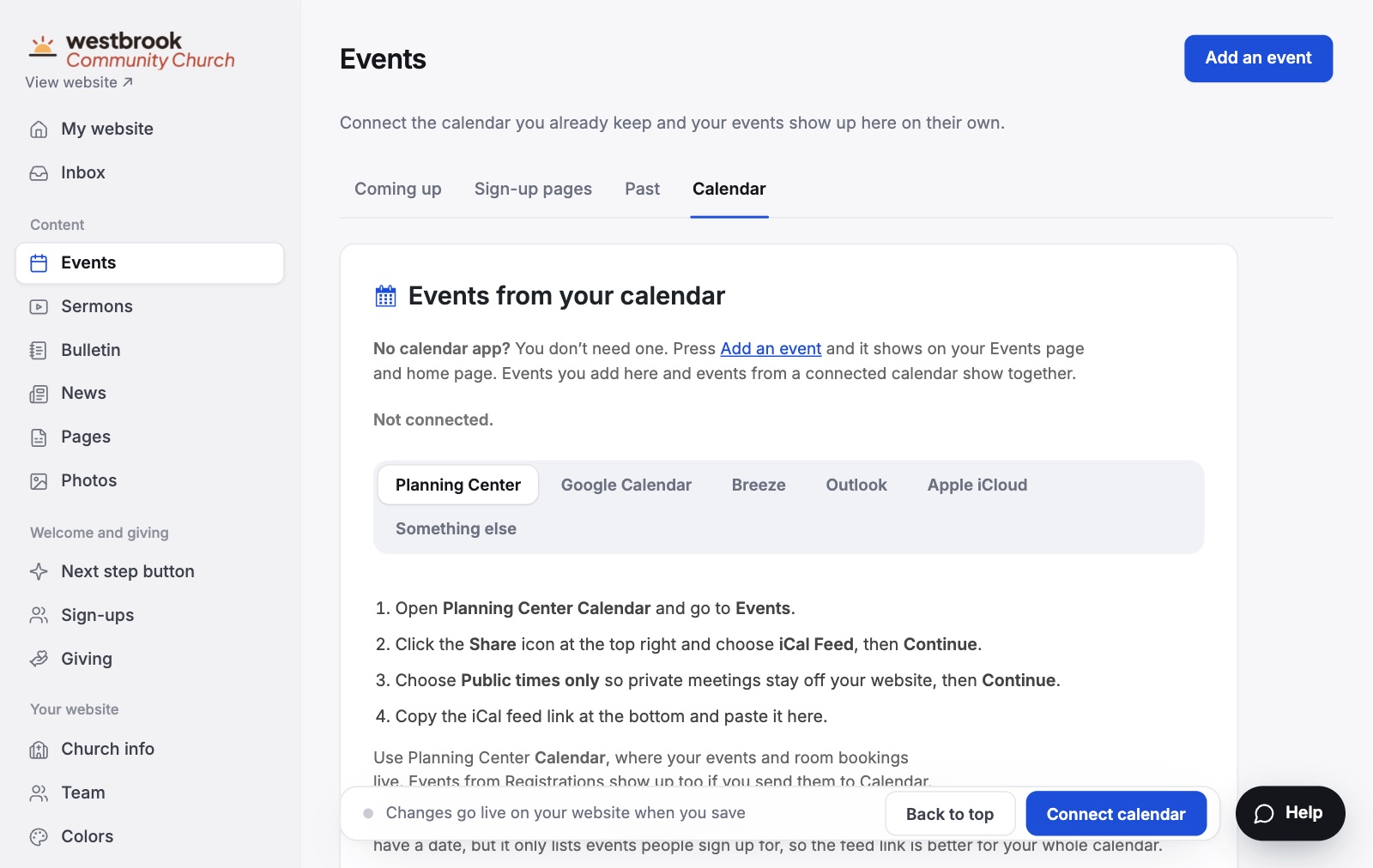
- Open Events to see what came in. To pull changes right away instead of waiting, click Sync now.
Good to know
- Keep that secret address private. Anyone with it can see your calendar.
- Have more than one calendar (for example church and youth)? Put each link on its own line.
- Removing a link takes the events that came from it off the website. Events you added on the website are never touched.
Still stuck?
Ask in the chat and get an answer right away. If it needs a person, the team takes it from there.
Chat with usor email hello@sundayfront.com